Quick Start
This guide helps you get started with integMET in a few minutes.
What You Can Do
- Explore Differential Profiles — Browse biological comparisons (e.g., control vs. disease) together with metabolic changes
- Find Metabolites — Search for specific metabolites and trace their changes across studies
- Browse Studies — Find metabolomics studies by condition, disease, or species
Example Workflows
Workflow A: Start from a Condition
"I'm interested in a disease or condition — what metabolites change?"
"I'm interested in the effect of a drug — what metabolites change?"
1. Go to Diff Profiles
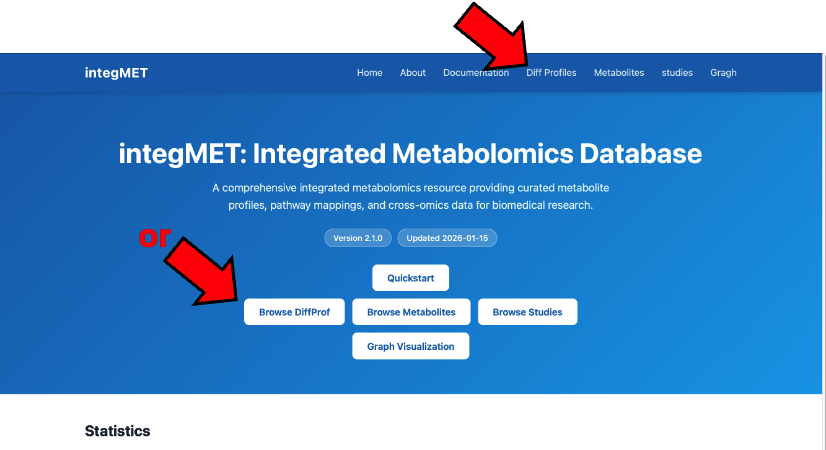
2. Browse or search for DiffProfs to your interest
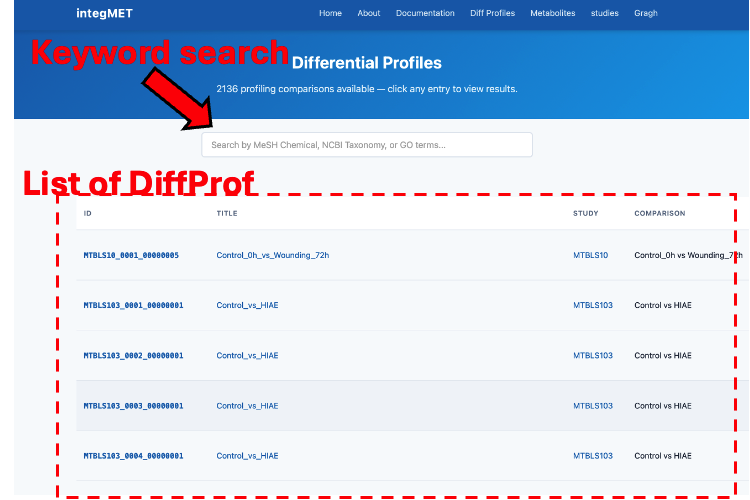
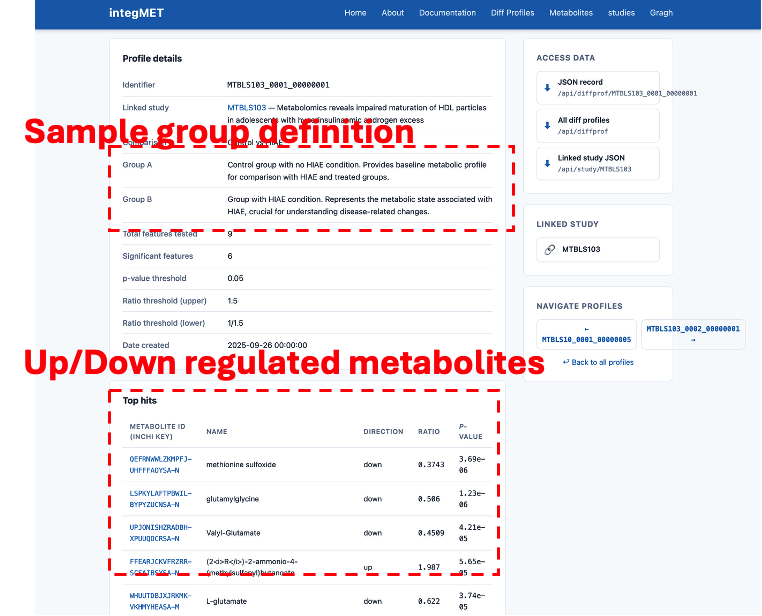
3-4. Click a DiffProf to see its details and Top Hits
Workflow B: Start from a Metabolite
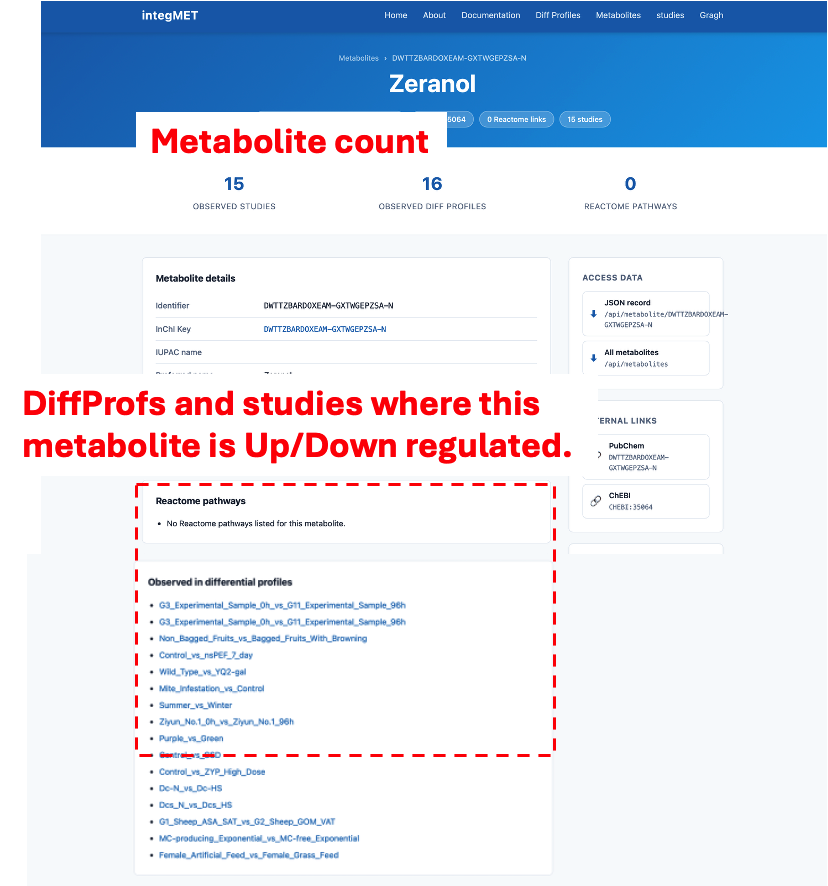
"I have a metabolite of interest — in which biological event/condition does it change?"
1. Go to Metabolites
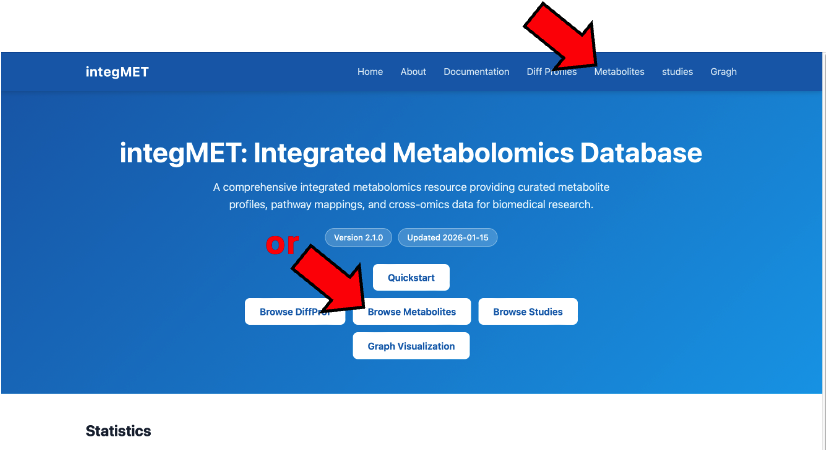
2. Find your metabolite by name or identifier
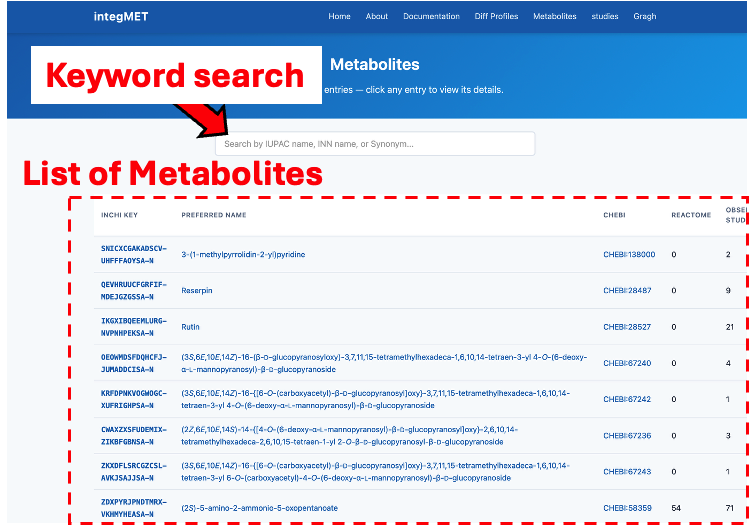
3-4. Click to view details and see Observed in differential profiles
Workflow C: Start from a Study
"I'm interested in this study — what kind of metabolic change can be seen?"
- Go to Studies
- Find a study of interest
- Click to view its detail page
- See Differential profiles — the list of DiffProfs derived from this study data
- Click a DiffProf to see its metabolic changes
Workflow D: Explore Network Visualization
"I want to find DiffProfs with similar metabolite changes"
integMET provides an interactive network where DiffProfs with similar metabolite-change patterns are connected. This helps discover related biological conditions across different studies.
1. Go to Graph Visualization
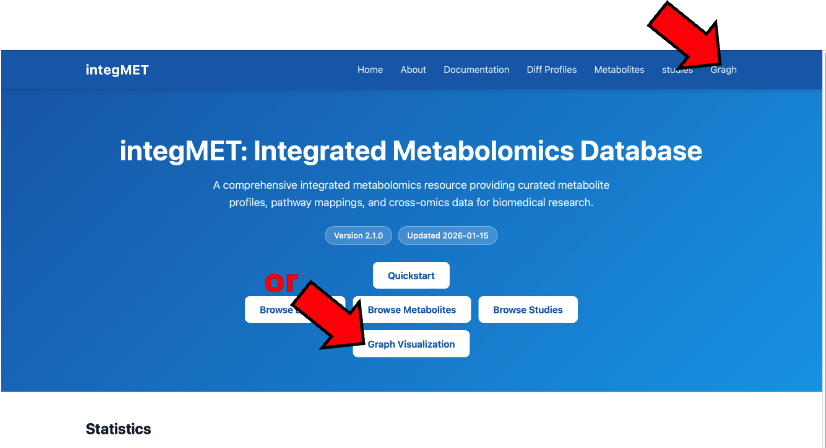
2. Browse the Study-level network with filters
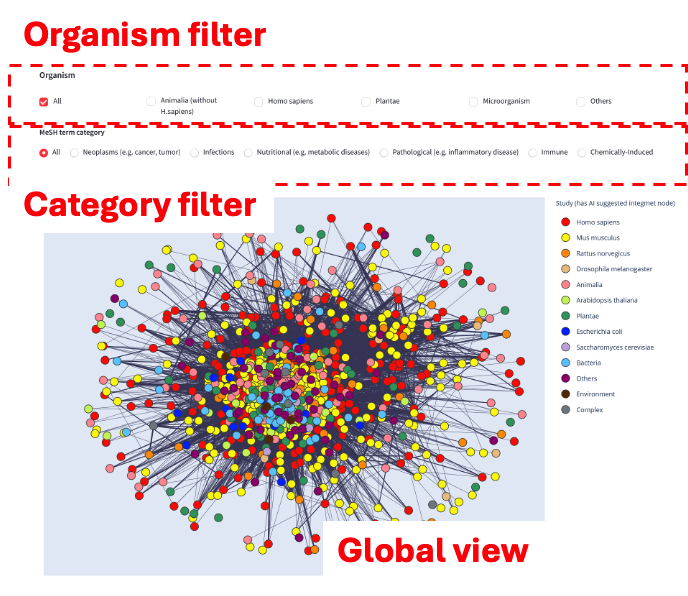
3. Select a Study to see its DiffProf network
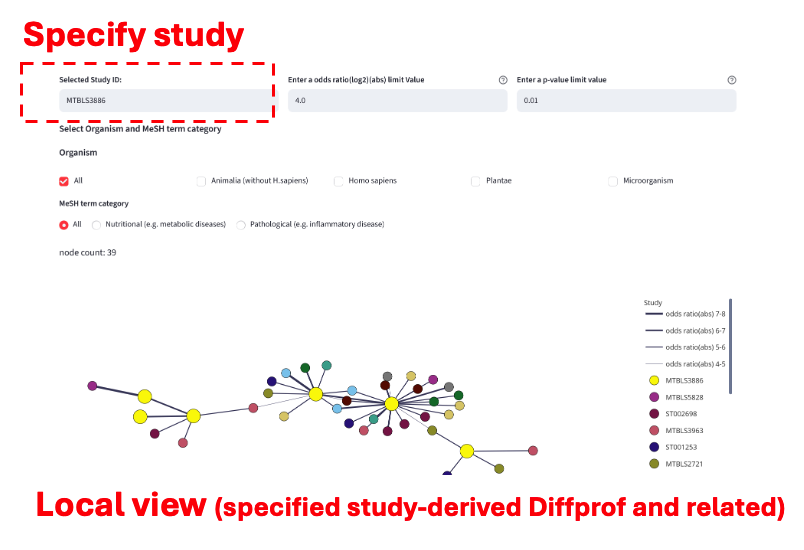
For detailed instructions, see the Network Visualization Tutorial.
Understanding the Data
Reading a DiffProf
When you view a Differential Profile, you'll see:
| Field | Meaning |
|---|---|
| Group A vs Group B | The two conditions being compared |
| Significant Features | Number of metabolites with significant changes |
| Top Hits | List of changed metabolites |
| Ratio | Fold-change (>1 = increased, <1 = decreased in Group B) |
| Direction | up or down in Group B relative to Group A |
Reading a Metabolite Page
When you view a Metabolite, you'll see:
| Field | Meaning |
|---|---|
| InChIKey | Unique chemical identifier |
| Studies Observed | All studies where this metabolite was detected |
| DiffProfs with Variation | DiffProfs where this metabolite changed significantly |
Tips
- Start broad, then narrow down — Browse studies first, then drill into specific DiffProfs
- Use metabolites as links — A metabolite connects multiple studies and conditions
- Look for patterns — If a metabolite changes across multiple DiffProfs, it may indicate a common biological response
Next Steps
- Read Concepts to understand Differential Profiles in depth
- Explore the Data Model to understand how data is organized
- Learn about Network Visualization to find similar DiffProfs